Free, by Searchbloom
Sheetah
Every form fill on your website, saved to a Google Sheet you own, with the ad click and source that brought the visitor in. One script tag on WordPress, Webflow, Squarespace, Wix, Shopify, or a hand-built site.
Any Google account works. No credit card.
How Sheetah works, in under a minute.
How it works
Step 1
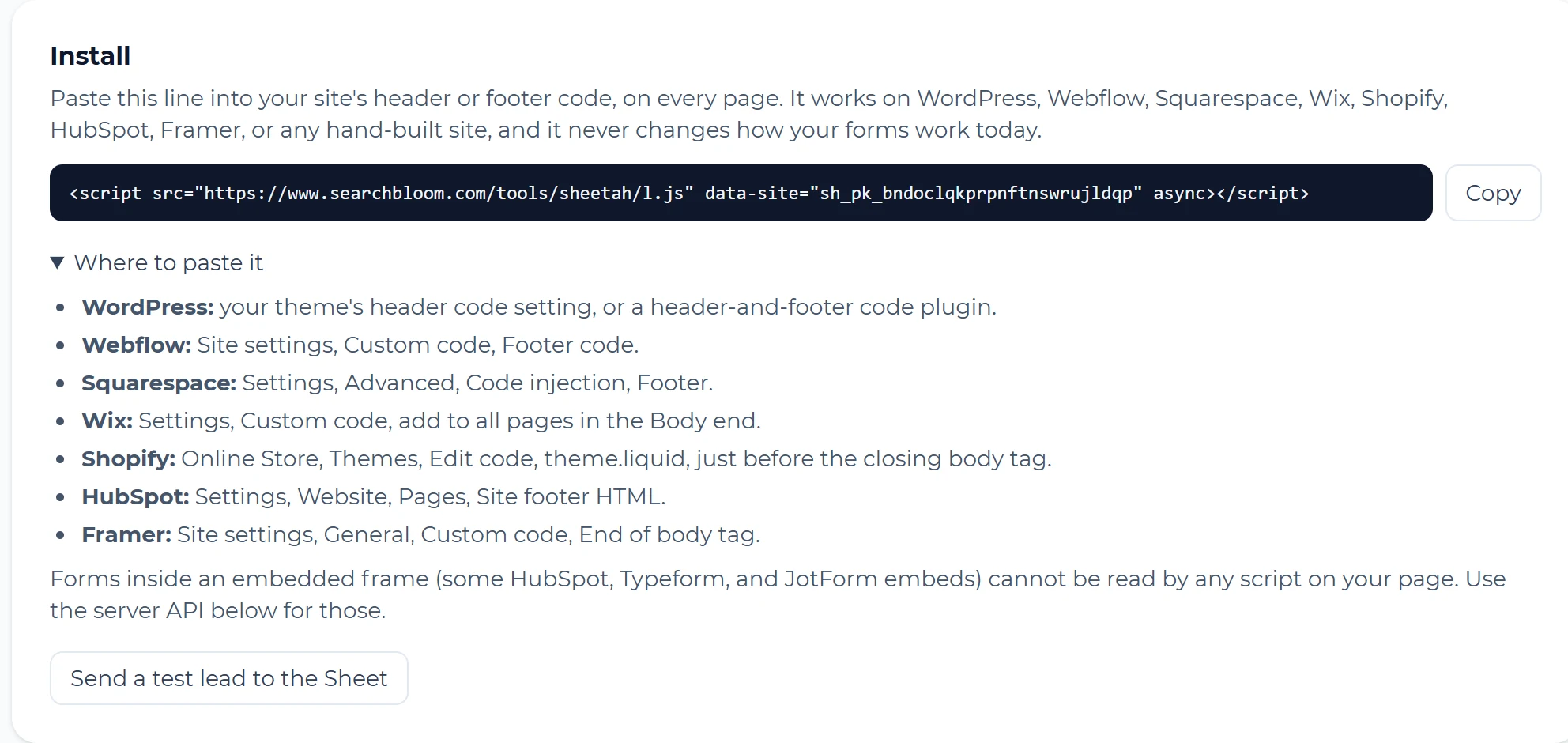
Paste one line on your site
Sign in with Google and add your website. Sheetah creates the Sheet in your Drive and gives you one script tag. Paste it into your site's header or footer code once. It works on WordPress, Webflow, Squarespace, Wix, Shopify, HubSpot, Framer, and hand-built sites.
Step 2
Every form fill becomes a row in your Sheet
Seconds after a visitor sends a form, the lead is in your Google Sheet, with where the visitor came from: the ad and campaign, a search, ChatGPT, a social post, or a direct visit. For example, someone who clicks your Kitchen Remodel Google ad and sends your estimate form shows up as google, cpc, Kitchen Remodel, with the gclid from that click.

Sample leads. Some columns are hidden here to fit the page.
Step 3
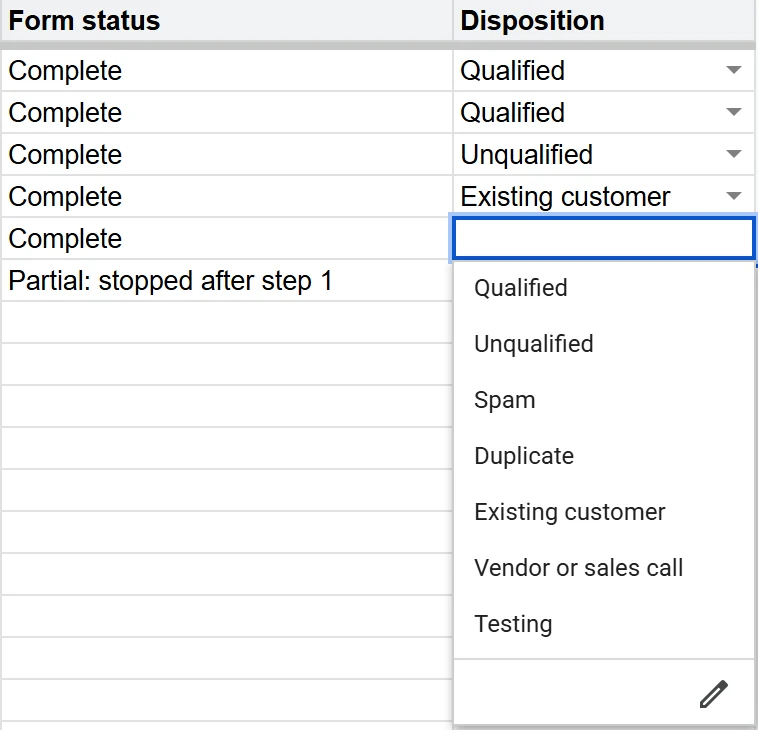
Mark what each lead turned into
Every row has a Disposition dropdown: Qualified, Unqualified, Spam, Duplicate, Existing customer, or Vendor or sales call. Because each row keeps the source next to what the lead turned into, a few weeks of rows show which ads, searches, and pages bring customers, and which bring noise.
What lands in your Sheet
| Column | What it holds |
|---|---|
| Received | The date and time of the form fill, in your timezone. |
| Name, Email, Phone, Message | Read from your form, whatever your fields are called. |
| Other fields | Every other answer on the form, each with its label. |
| Form and Page | Which form was sent, and the page it was on. |
| Landing page | The first page of the visit, where the visitor came in. |
| Source, Medium, Campaign, Keyword | From your UTM tags. With no tags, from the ad click or the site that sent the visitor (google organic, chatgpt.com, facebook). |
| Ad click ID | The Google Ads, Microsoft Ads, or Meta click ID (gclid, gbraid, wbraid, msclkid, fbclid). |
| Form status | Partial for a multi-step form left after step 1, then Submitted, Confirmed when the thank-you message or page shows, or Complete. |
| Lead ID | A unique ID for the row. |
| Disposition and Notes | Yours to fill in. Sheetah never writes over them. |
Questions and Answers
Is Sheetah really free?
Yes. There is no paid plan, and you never enter a credit card.
Will it change how my forms work?
No. Sheetah reads the form alongside it and never blocks or replaces it. Your form still sends its email, or goes to your CRM, exactly as it does today.
Which forms does it work with?
Standard forms on your own pages, whether they come from a page builder, a form plugin, or hand-written code. Many multi-step forms are also saved after the first step, so you see the people who started and didn't finish. A form inside an embedded frame (some HubSpot, Typeform, and JotForm embeds) can't be read by any script on your page; for those, your developer can send leads through the Sheetah server API.
What if Sheetah or Google is down when someone fills out a form?
The lead waits in the visitor's browser and is sent again on their next page view. Once it reaches Sheetah, it keeps trying to write to your Sheet for up to 30 days.
Does Searchbloom keep my leads?
No. A lead is held, encrypted, only until it is written to your Sheet, then deleted. Sheetah keeps a delivery record without contact details for 180 days, so the dashboard can show what arrived.
Can my team see the leads?
Share the Sheet the way you share any Google Sheet. It lives in your Google Drive, so you decide who opens it.
Does it work with Google Ads conversion tracking?
When a form goes through, Sheetah sends a lead_submitted event to the data layer, which you can use as a trigger in Google Tag Manager. Each row also keeps the ad click ID, so you can match qualified leads back to the clicks that brought them.
What about spam?
Bot traps and too-fast submissions are dropped before they reach your Sheet. Borderline ones arrive with the Disposition already set to Spam, so you can check them.
How do I stop using it?
Remove the script tag, then delete the site or your account in Sheetah. The Sheet stays in your Drive.
Try it on your site
Any Google account works. No credit card.